Release: Component Search Agent
2025-10-20 · Daniel Liu
When you think of circuit design, you might think of just that - designing the circuit, making schematics, laying out the board. However, a large portion of the work comes before you even get started. You need to pick which parts you are going to use.
Component selection is deceptively simple. There are tons of parts that do similar things but with various pros/cons. You also need to make sure candidate parts has the functionality you need, it plays nice with your other components, it’s within your budget, it’s in stock, it has good docs etc etc etc.
Not to mention part catalogs are massive, scattered across multiple suppliers, and specifications are locked away in hefty datasheets (check out this one) that you need to comb through.
Of course there are ‘master part catalogs’ like octopart, but they still fundamentally require you to search for parts yourself and decide which one works for you. Clicking through websites isn’t a good use of your precious engineering time.
That’s why we developed the Component Search Agent - an AI agent that will explore supplier websites in the background and deeply analyze candidate parts to match your exact requirements.
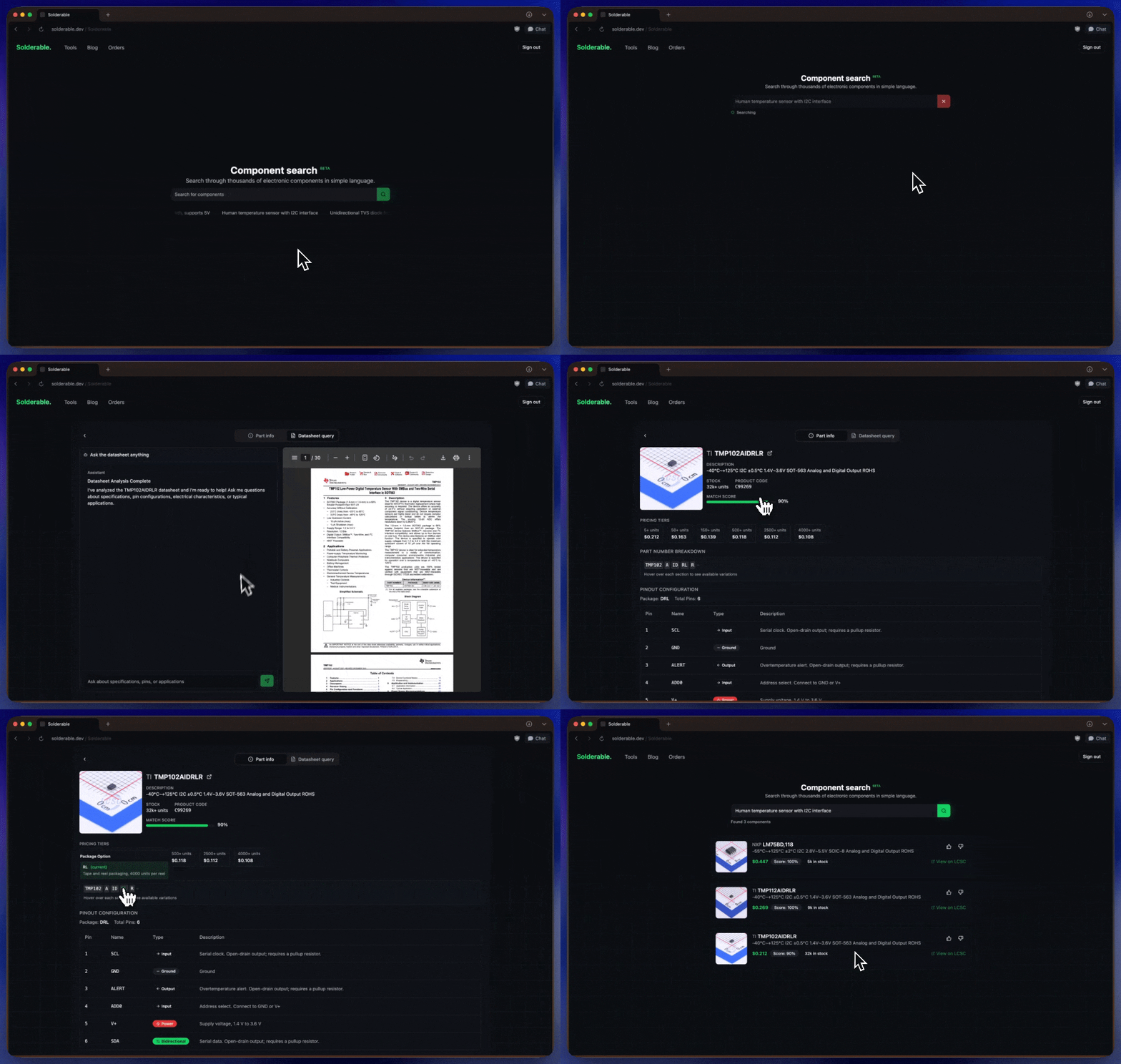
We are launching the beta version of component search today. It currently only supports LCSC and may be a bit slow at times (it’s trying it’s best!), but we hope that you can find some utility in it.
Manual searching may still be faster for simple queries (find me a 100ohm resistor), but the smart component search really shines when you have complex requirements or in cases where you are not fully sure of what you want. Some good queries include:
Find a human temperature sensor with I2C interface
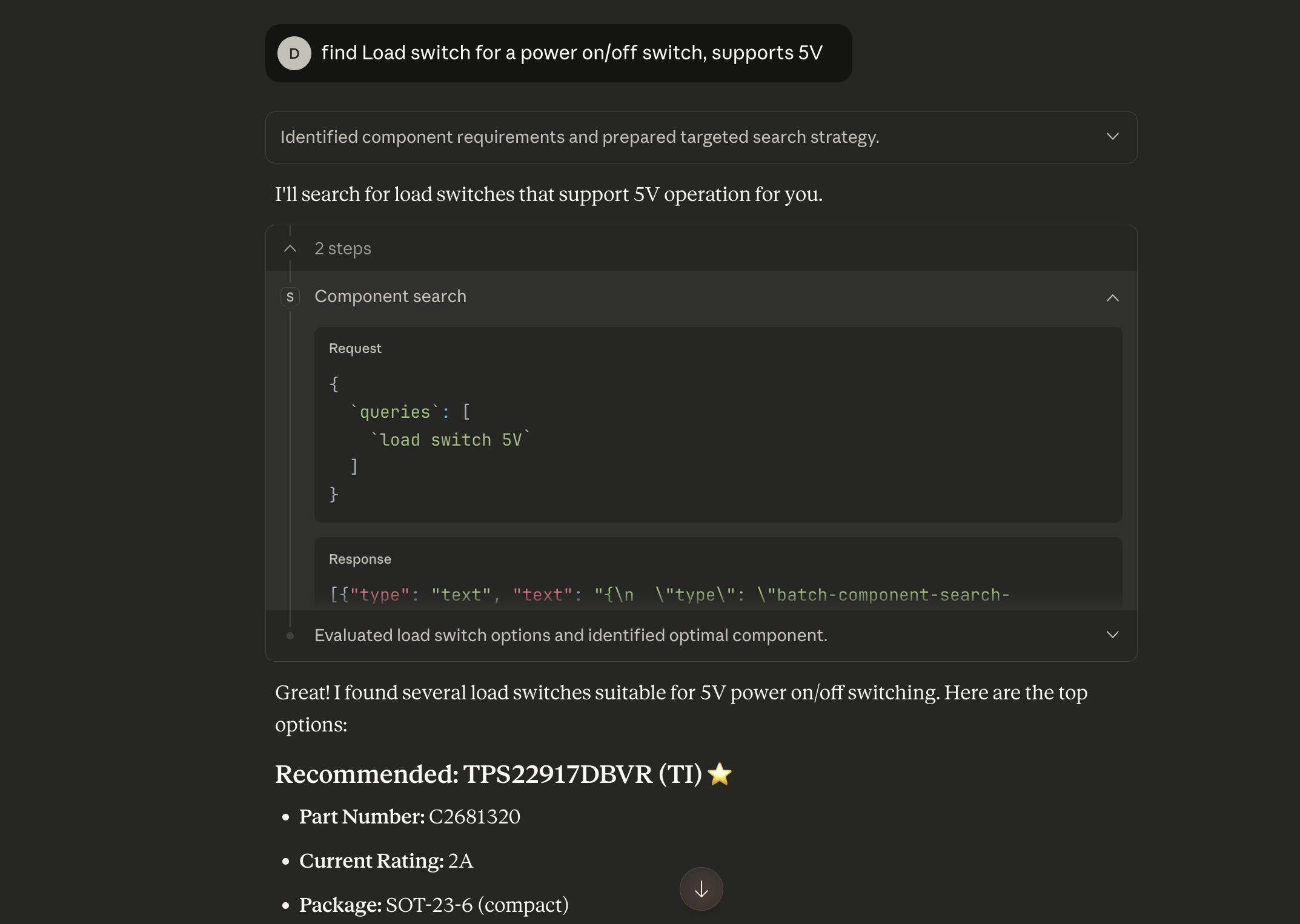
Load switch for a power on/off switch, it should be able to support 5V
Unidiectional TVS diode for USB-C VBUS with small package
Try it here → solderable.dev/components
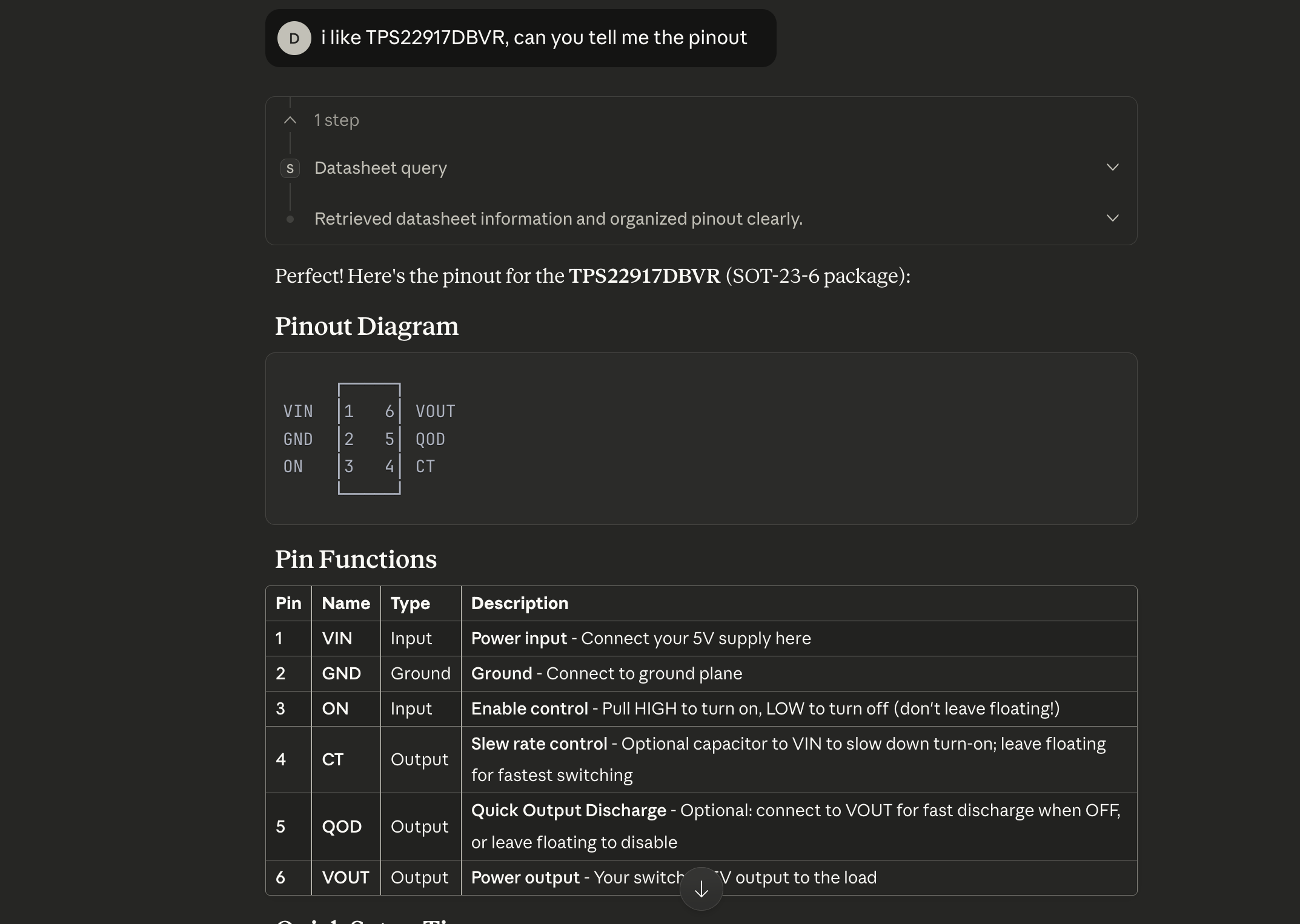
But wait, we aren’t done! We are also making the component search agent available over MCP. You can plug it into your chatbot of choice and give it superpowers. The MCP server also supports up to 10 parallel searches so you can source your entire project in a snap. There’s also a tool to read the datasheet of parts that you have found. You can find setup instructions here.
My favourite place to use the MCP is with Claude Desktop. I find this especially helpful when I need to search for parts and then follow up with questions about the part I'm interested in.
Oh, and did I mention that all of this is completely FREE??? Go nuts.
- Daniel